Azure Event Hubs
Namespace or Event Hub connections, plus eventhubs-emulator.
EventHub Explorer is a lightweight web UI for Azure Event Hubs, Azure Storage Queues, Azure Service Bus and RabbitMQ. Use production services or work fully offline with local emulators.
Namespace or Event Hub connections, plus eventhubs-emulator.
Queues for messaging and Blob Storage for checkpoints, with Azurite.
Queues and topics with namespace access and a local emulator.
AMQP/AMQPS queues and exchanges, including the management image.
| Service | Real Azure / Broker | Emulator / Local |
|---|---|---|
| Azure Event Hubs | ✓ Namespace and Event Hub connection strings | eventhubs-emulator |
| Azure Storage Queue | ✓ *.queue.core.windows.net |
Azurite |
| Azure Blob Storage | ✓ Event Hubs checkpoint storage | Azurite (UseDevelopmentStorage=true) |
| Azure Service Bus | ✓ Namespace-level Queue/Topic | Service Bus emulator |
| RabbitMQ | ✓ amqp:// / amqps:// |
rabbitmq:management |
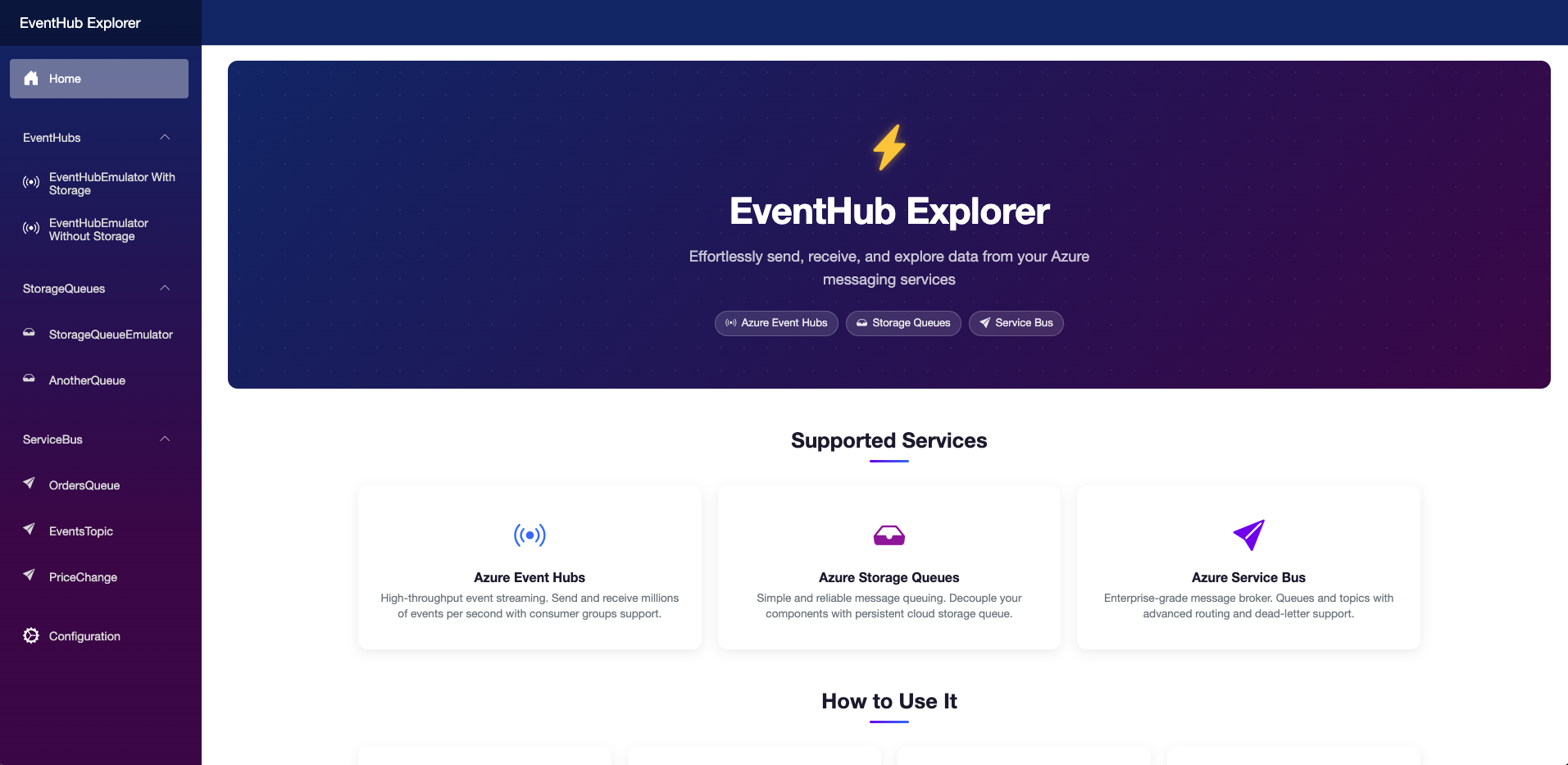
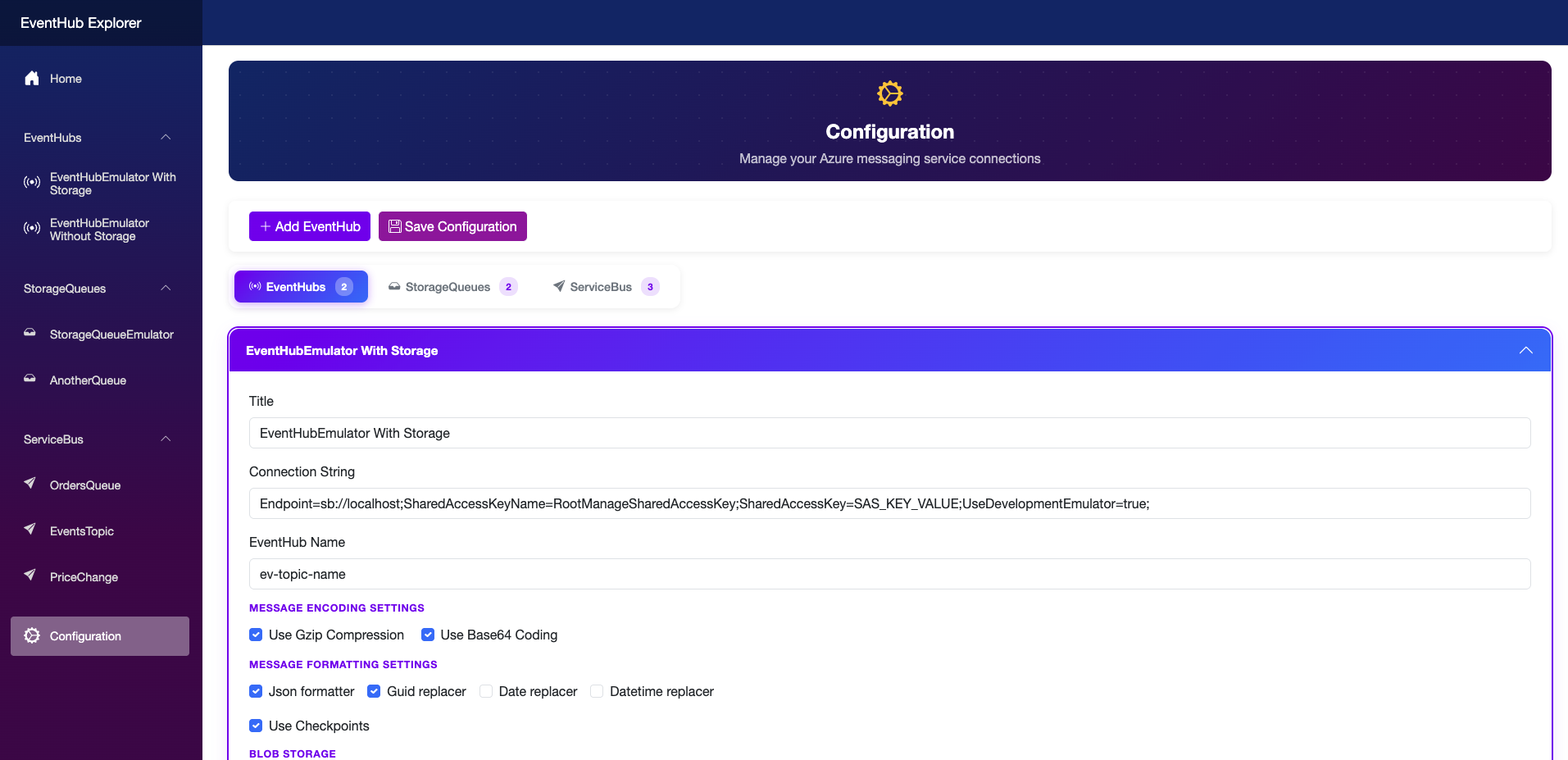
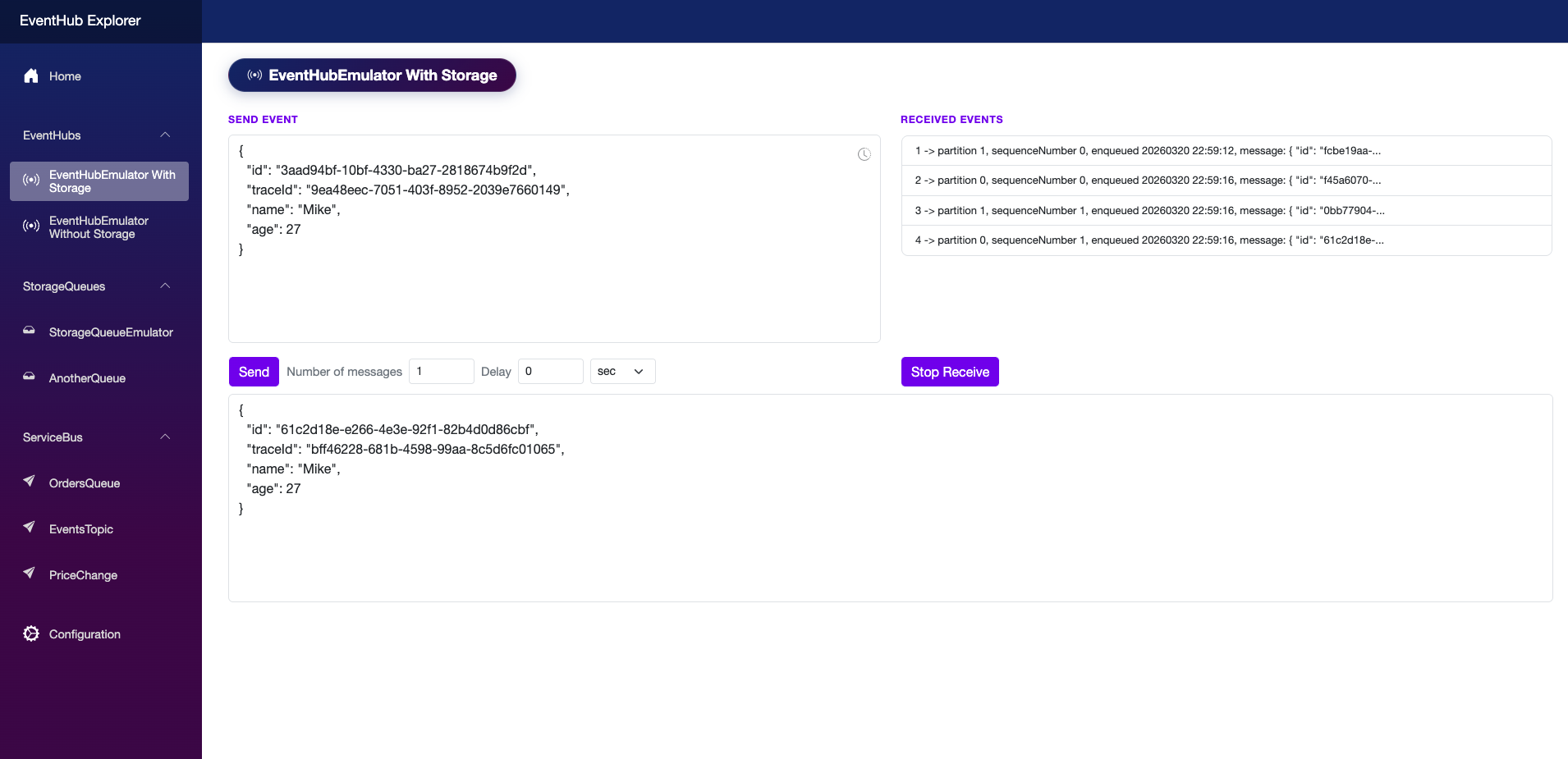
All four systems share payload transformation, compression and batch sending. Entity types and receiving modes are service-specific.
| Operation | What it does |
|---|---|
| Override GUID / DateTime | Replaces detected values with freshly generated ones before sending. |
| Compress & encode | GZip + Base64 on send; automatic decode and decompression on receive. |
| Send messages | Send one, a batch, or a delayed batch with a configurable interval. |
| Auto-format JSON | Pretty-prints valid JSON payloads on receive. |
| Custom properties | Add and read custom key-value properties. |
| Capability | Event Hubs | Storage Queues | Service Bus | RabbitMQ |
|---|---|---|---|---|
| Send to | Event Hub (partitioned stream) | Queue | Queue or Topic | Queue or Exchange (direct/fanout/topic) |
| Receive from | Event Hub, with/without checkpoints | Queue (polling) | Queue or Topic Subscription | Queue or Exchange-bound Queue |
| Checkpoint tracking | ✓ Blob Storage | — | — | — |
| Custom properties | ✓ | — | ✓ | ✓ |
$Default is used by default. Checkpoints require Blob
Storage (Azurite locally or Azure Blob in production).Docker is required for emulators or containerized runs. The .NET 10 SDK is required only for source builds. You need at least one service or broker to connect to.
git clone https://github.com/dvlaskin/EventHubExplorer.git
cd EventHubExplorer
dotnet build
dotnet run --project src/WebUI/WebUI.csproj
# Open http://localhost:5235/docker pull dvlaskin/eventhubexplorer
docker run -d -p 5235:8080 --name eventhubexplorer dvlaskin/eventhubexplorer
# Open http://localhost:5235/services:
eventhubexplorer:
image: dvlaskin/eventhubexplorer:latest
container_name: eventhubexplorer
ports:
- "5235:8080"
volumes:
- data-volume:/app/Data
networks:
- docker-network
volumes:
data-volume:
networks:
docker-network:
external: trueReplace placeholders like <NamespaceName>, <KeyName> and
<AccountName> with your values.
# Same machine
Endpoint=sb://localhost;SharedAccessKeyName=RootManageSharedAccessKey;SharedAccessKey=SAS_KEY_VALUE;UseDevelopmentEmulator=true;
# LAN: replace host with emulator IPv4; Docker bridge alias: eventhubs-emulator
# Different Docker bridge network: host.docker.internal# Namespace-level
Endpoint=sb://<NamespaceName>.servicebus.windows.net/;SharedAccessKeyName=<KeyName>;SharedAccessKey=<KeyValue>
# Event Hub-level
Endpoint=sb://<NamespaceName>.servicebus.windows.net/;SharedAccessKeyName=<KeyName>;SharedAccessKey=<KeyValue>;EntityPath=<EventHubName># Local shortcut
UseDevelopmentStorage=true
# Docker bridge service endpoint
DefaultEndpointsProtocol=http;AccountName=devstoreaccount1;AccountKey=Eby8vdM02xNOcqFlqUwJPLlmEtlCDXJ1OUzFT50uSRZ6IFsuFq2UVErCz4I6tq/K1SZFPTOtr/KBHBeksoGMGw==;BlobEndpoint=http://azurite:10000/devstoreaccount1;DefaultEndpointsProtocol=http;AccountName=devstoreaccount1;AccountKey=Eby8vdM02xNOcqFlqUwJPLlmEtlCDXJ1OUzFT50uSRZ6IFsuFq2UVErCz4I6tq/K1SZFPTOtr/KBHBeksoGMGw==;QueueEndpoint=http://127.0.0.1:10001/devstoreaccount1;# Emulator (same machine)
Endpoint=sb://localhost;SharedAccessKeyName=RootManageSharedAccessKey;SharedAccessKey=SAS_KEY_VALUE;UseDevelopmentEmulator=true;
# Docker alias: servicebus-emulator; other network: host.docker.internal
# Administration Client: append :5300 to the host
# Azure namespace
Endpoint=sb://<NamespaceName>.servicebus.windows.net/;SharedAccessKeyName=<KeyName>;SharedAccessKey=<KeyValue>docker run -d --name rabbitmq -p 5672:5672 -p 15672:15672 rabbitmq:management
# UI: http://localhost:15672 (guest / guest)
amqp://guest:guest@localhost:5672
amqp://guest:guest@localhost:5672/myvhost
amqps://user:pass@hostname:5671/vhostIf EventHub Explorer is useful, consider giving it a ⭐ star on GitHub and Docker Hub.
Star on GitHubMIT.